AI · FSRS · Offline · 28 languages

Flashcards from a topic, a PDF or a photo.

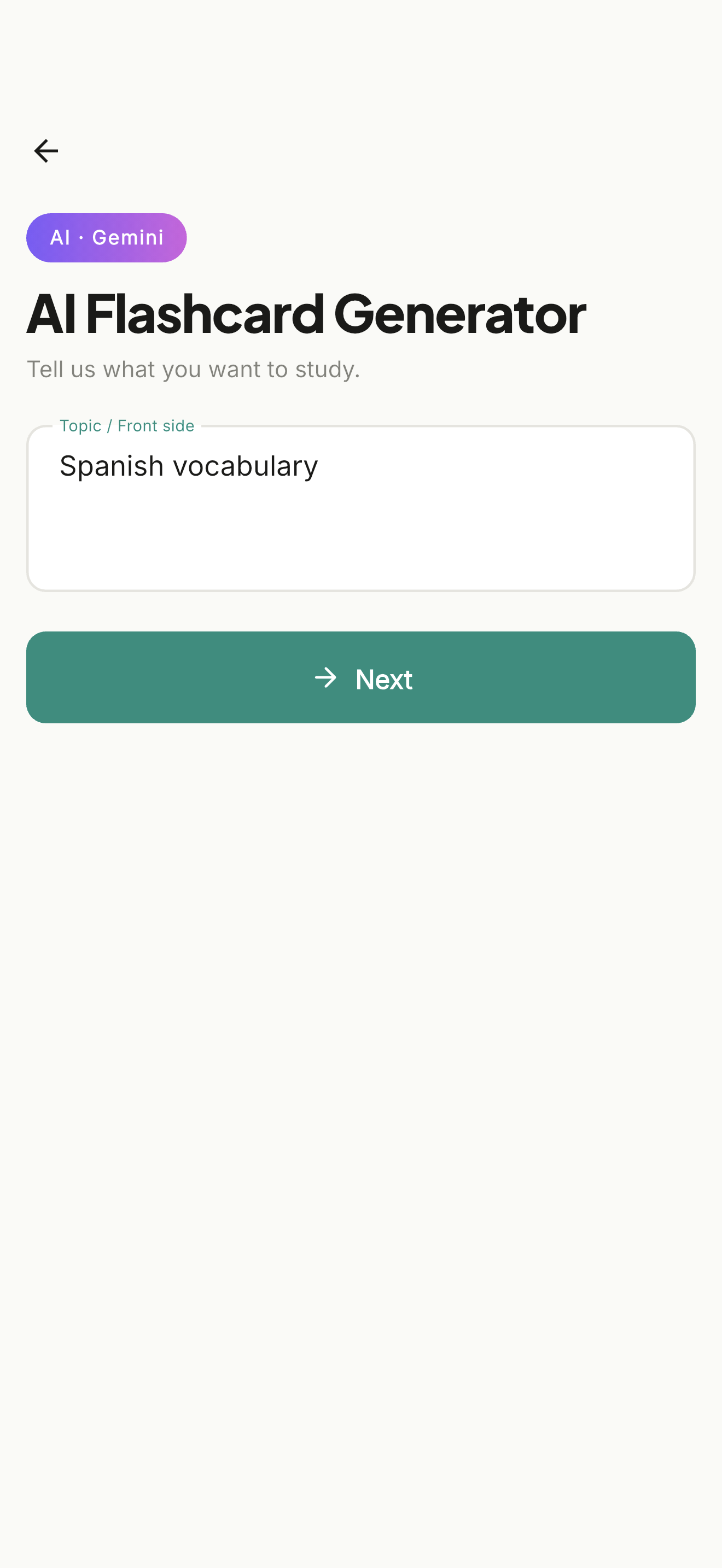
Type what you want to learn, or upload your notes, and the cards are written for you. Study with spaced repetition, on your phone or in the browser, with or without internet.

Flashcards.gg
✨ Three ways to make cards

A topic, a document or a photo.

Describe a topic in one line and the AI writes the set. Or upload a PDF, Word or PowerPoint file, or photograph textbook pages and handwritten notes, and the cards are made from that. You can also write cards yourself and let the AI fill in the back.

🎓 Learn Mode

Spaced repetition that remembers for you.

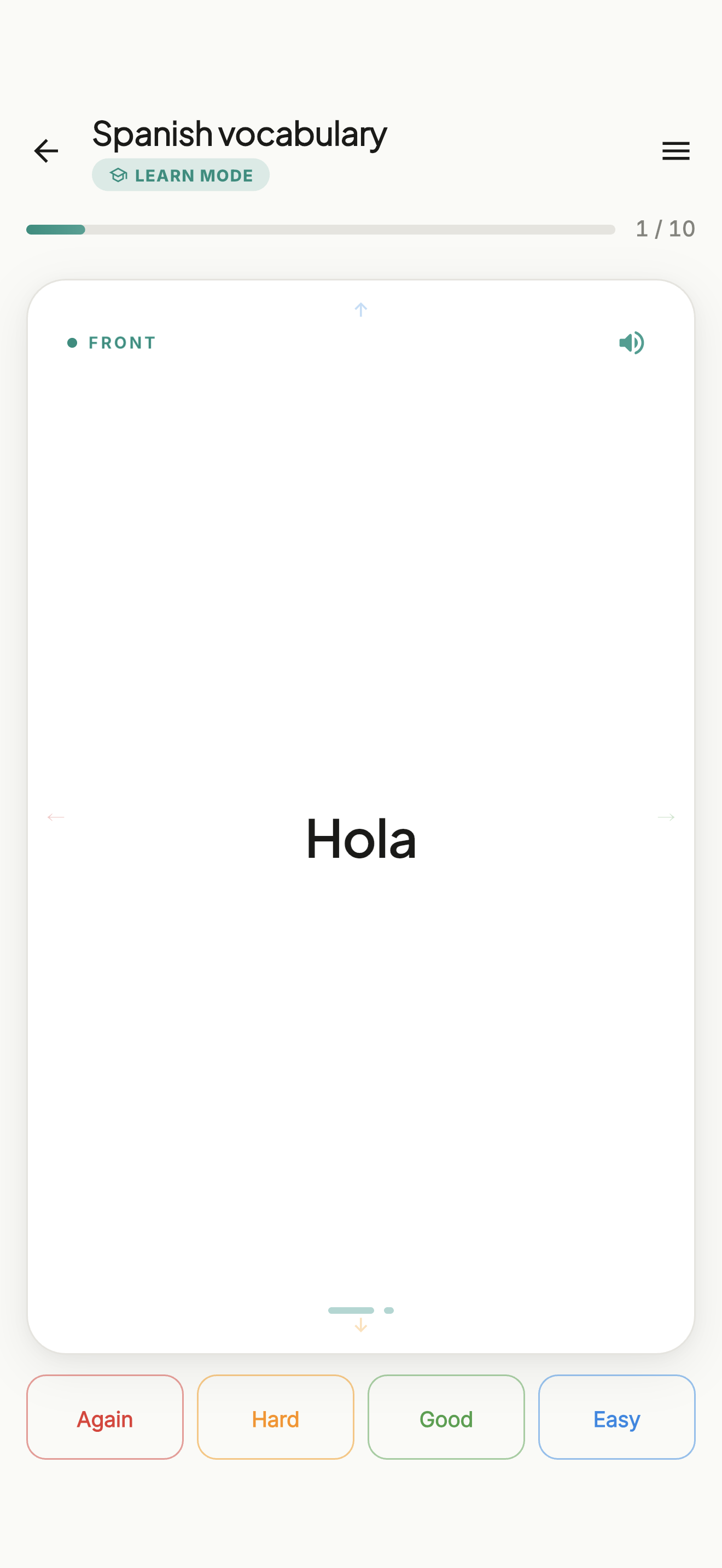
FSRS spaced repetition decides when each card comes back: you review what is due and leave the rest for later.

📚 Five study modes

Pick how you want to study.

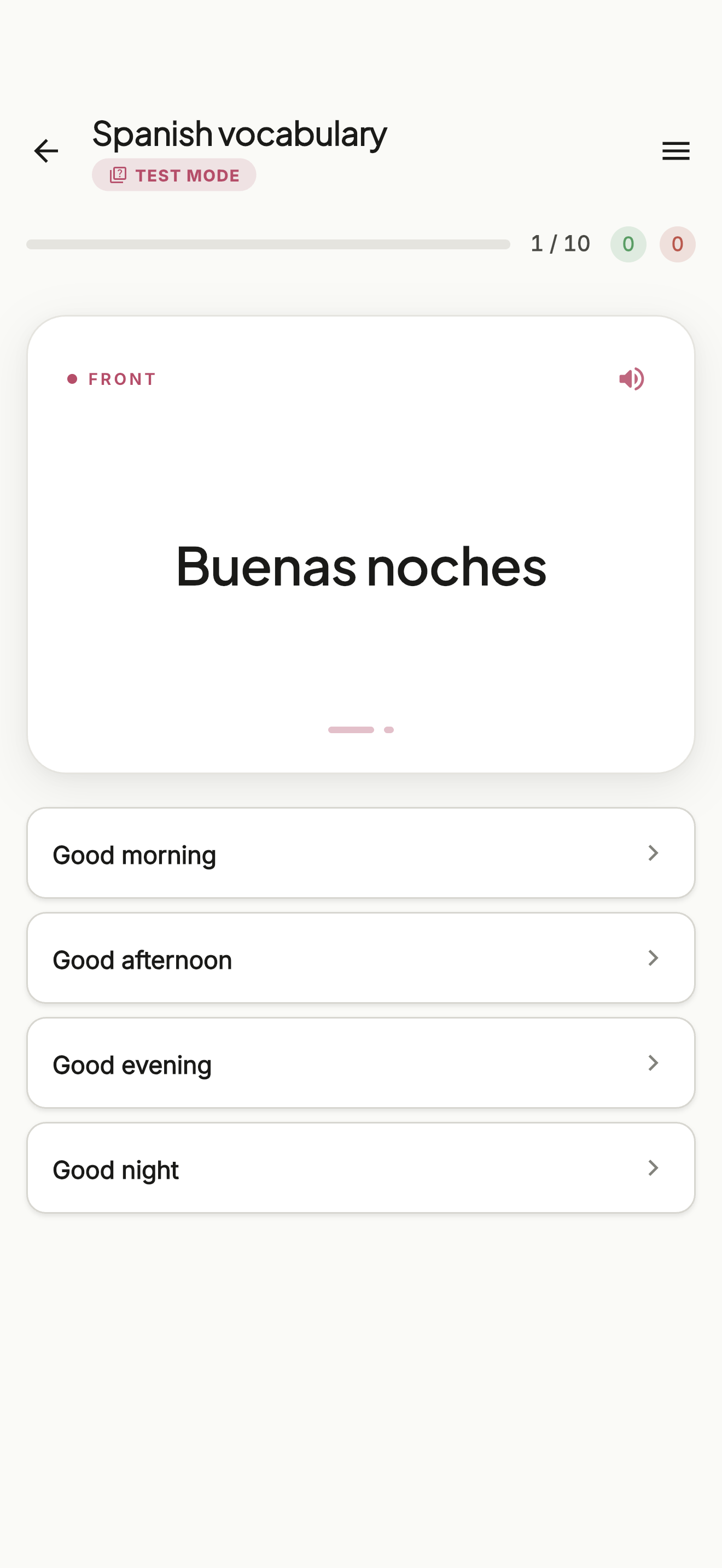
Learn with spaced repetition, browse or view the whole set, shuffle for a random pass, or test yourself by typing the answer or with a multiple-choice quiz. Cards can be read aloud with your device's voices.

🔌 Public API

Build on top of Flashcards.gg.

A clean REST API with an OpenAPI 3 spec — manage decks, cards, and shares from any HTTP client. Bearer auth with per-user keys and ETag concurrency.

$ curl -H "Authorization: Bearer flc_..." \
    https://flashcards.gg/api/v1/sets

{
  "data": [
    {
      "id": "set_65a3...",
      "name": "Spanish",
      "cardCount": 47
    }
  ]
}
🤖 AI assistants

Connect ChatGPT, Claude, Gemini.

Same OpenAPI spec, any LLM that supports tool calling. Add cards while chatting, generate full decks from a conversation, study with your assistant.

G
ChatGPT
Add 'biểu cảm = expression' to my Vietnamese deck
C
Claude
Make a deck from these 12 Rust borrow-checker errors
G
Gemini
Quiz me on my Japanese flashcards

Everything you'd expect.

AI generation

From a topic, a document or photos. Pick the card count and what goes on each side.

Offline-first

Everything works without internet. Sync happens when you're back online.

Cloud sync

Sign in with Google or Apple — your sets follow you to every device.

Share sets

Send a link, recipient adds the set to their library in one tap. No account needed.

Clean editor

Add, edit, reorder, delete cards in a single quiet view. No clutter.

Privacy first

No ads. Your cards stay on your device; sign in only if you want them synced.

Import & export

Bring decks from Anki (.apkg), CSV, TSV, TXT or JSON. Export in the same formats to share or back up.

Shared library

Search sets other learners have published and add any of them to your own.

Folders and search

Group sets into folders and search everything you have, including the library, from one box.

Daily goal

A few minutes a day on the days you choose, with a streak and optional reminders.

In plain terms

What it is
A flashcard app that writes the cards for you from a topic, a PDF, a Word or PowerPoint file, or photos of your notes, and schedules your reviews with spaced repetition.
Who it is for
Language learners and students preparing for exams. Most sets made today are English vocabulary and exam material.
Study modes
Learn with spaced repetition, Browse, Random, View, and Test with a typed answer or multiple choice.
Formats
Import and export CSV, TSV, TXT, JSON and Anki .apkg.
Platforms
iOS, Android and the browser. Sign in with Google or Apple and your sets sync between them.
Languages
The interface is available in 28 languages. Cards can be in any language.
Your data
Cards stay on the device until you sign in to sync. Analytics run only with your consent.
Library
2,251 sets shared by other learners, searchable in the app and on the web.